 Afloat
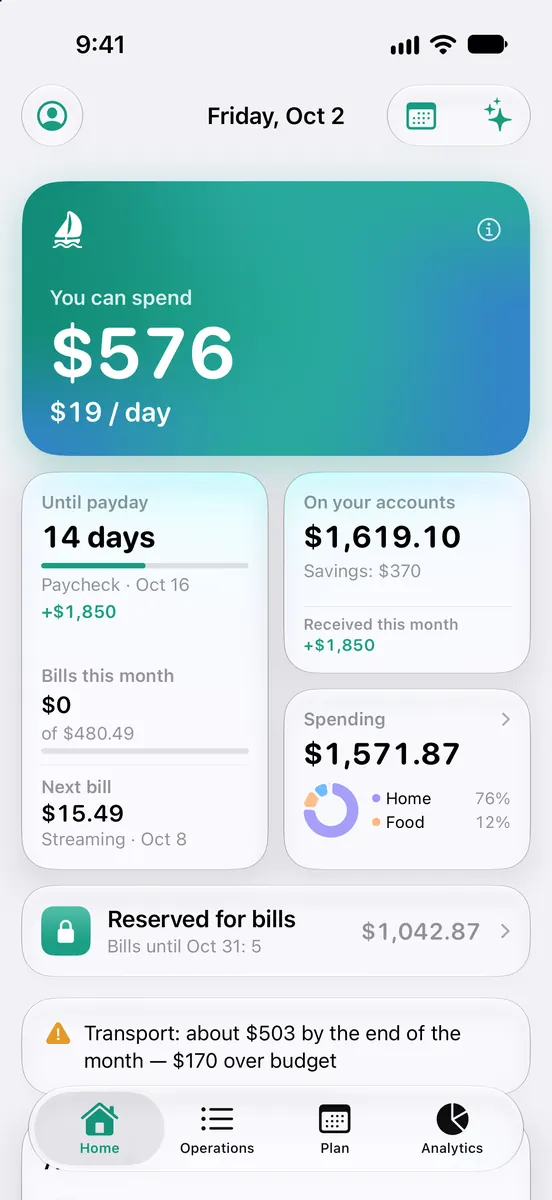
Bills first. The rest is yours.
Most budgets tell you what you already spent. Afloat counts what this month still has to pay — and shows what’s left for today.
Bills come first
Rent, utilities, subscriptions, loans and card payments due this month are set aside before you spend — and reminded the day before and on the day.
The rest, split by days
What’s left after bills, budgets and goals is divided by the days ahead. Spend less today and tomorrow gets a little more.
Keep it exact
Log spending in a tap, or import a statement from any bank. No bank login — ever.
Everything you need for the month
And nothing that makes budgeting a second job.
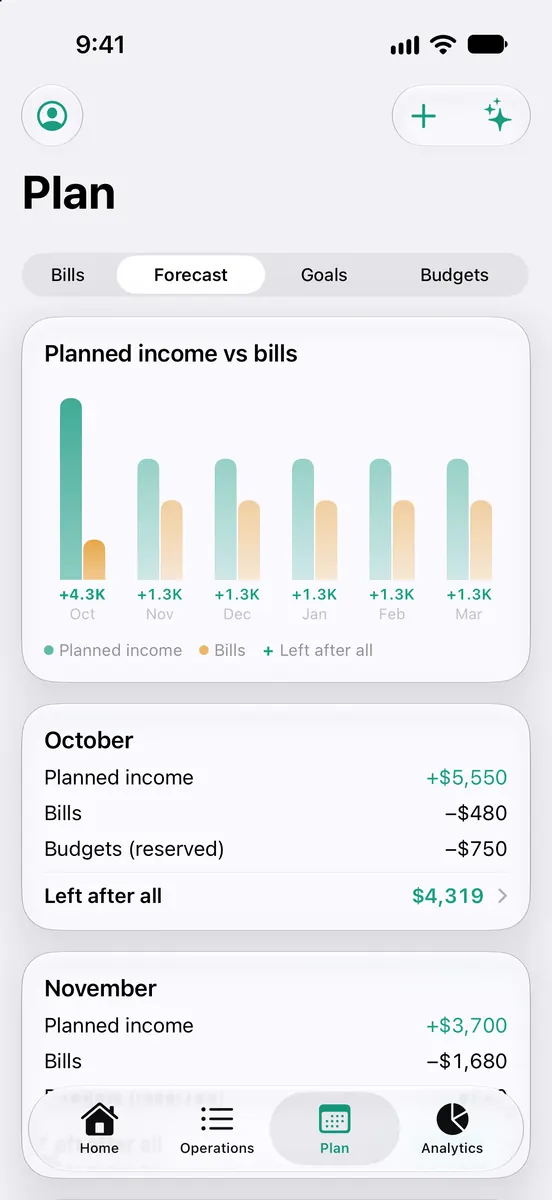
See the months ahead
Planned income against bills, budgets and goals for the months ahead — know what’s left before the money lands. Spot the tight months early.
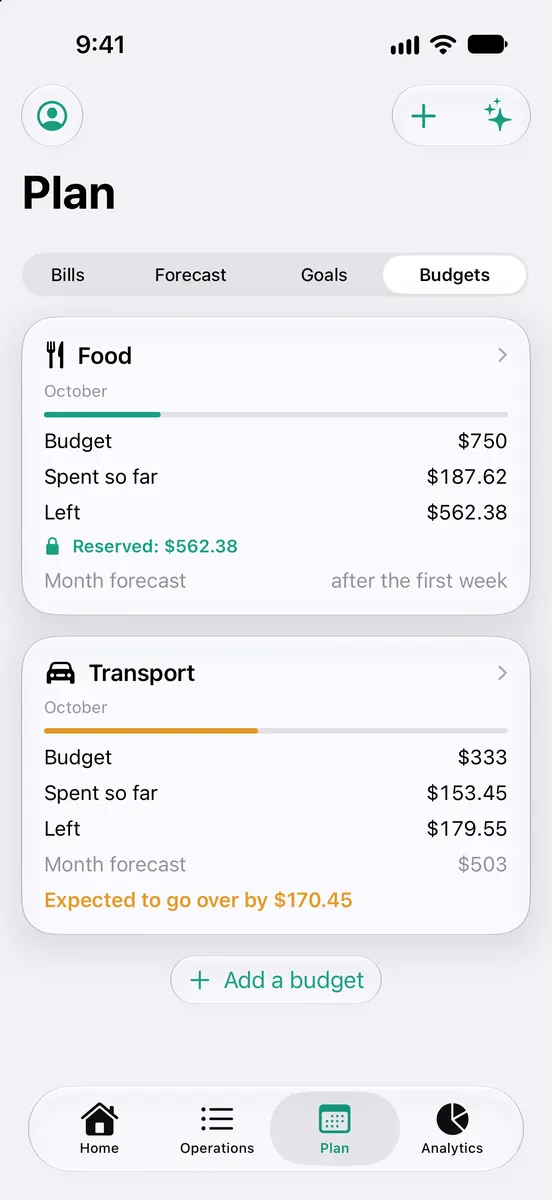
Budgets that warn early
Spot overspending before it happens.
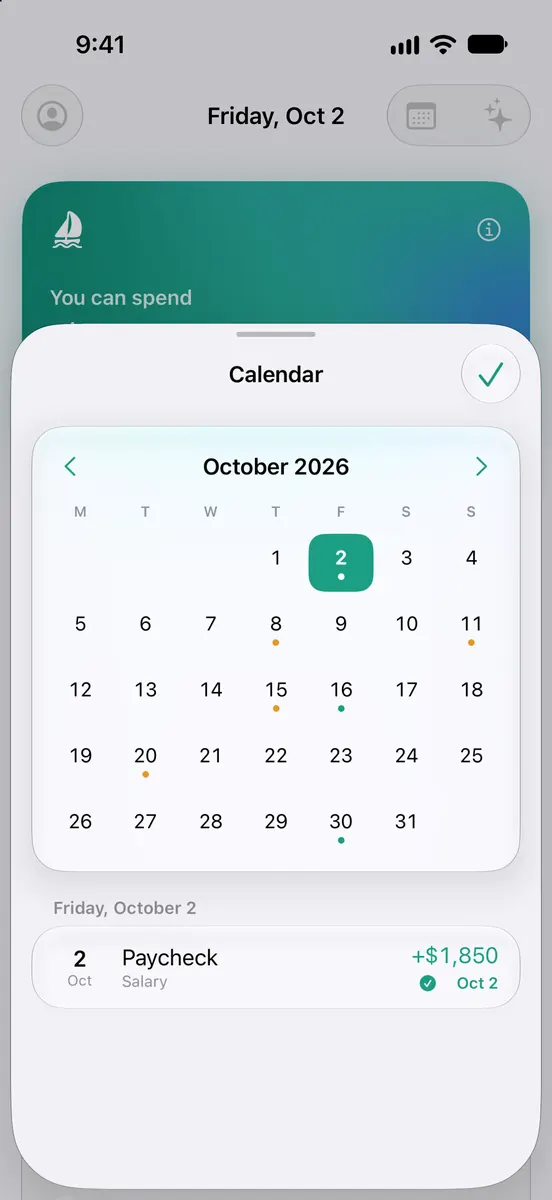
The month at a glance
Every bill and income date on one calendar.
Import any bank, find the leaks
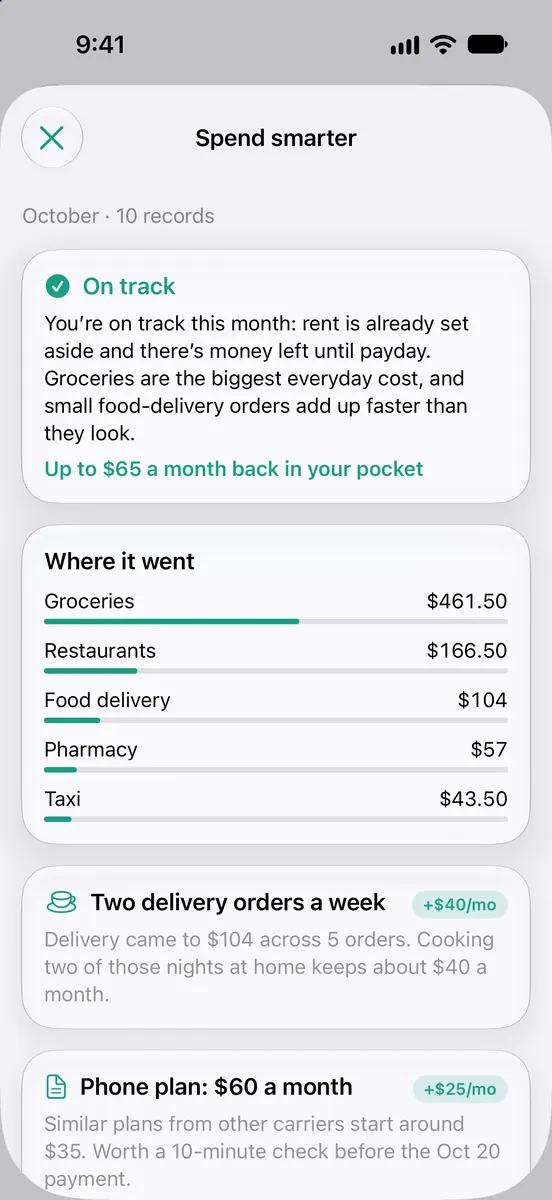
Drop in a statement from any bank — PDF, CSV or screenshots — and transactions arrive already categorized. Snap a bill or receipt and AI fills it in. A monthly review shows where money leaks and what to change.
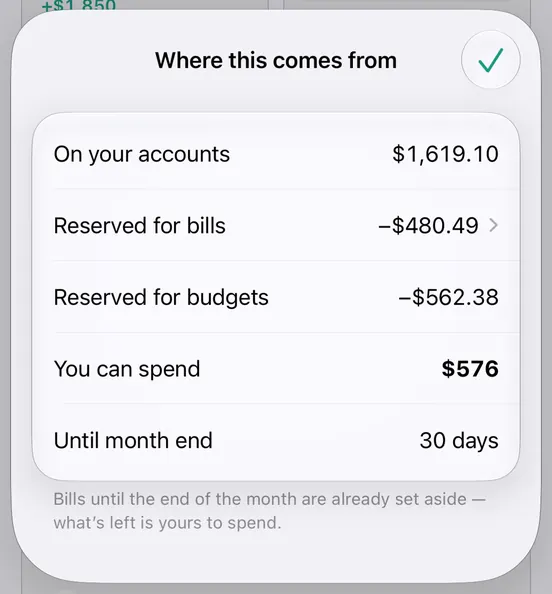
Every dollar explained
Tap the number to see how it’s made: your balance, what’s set aside for bills and budgets, and what’s free.
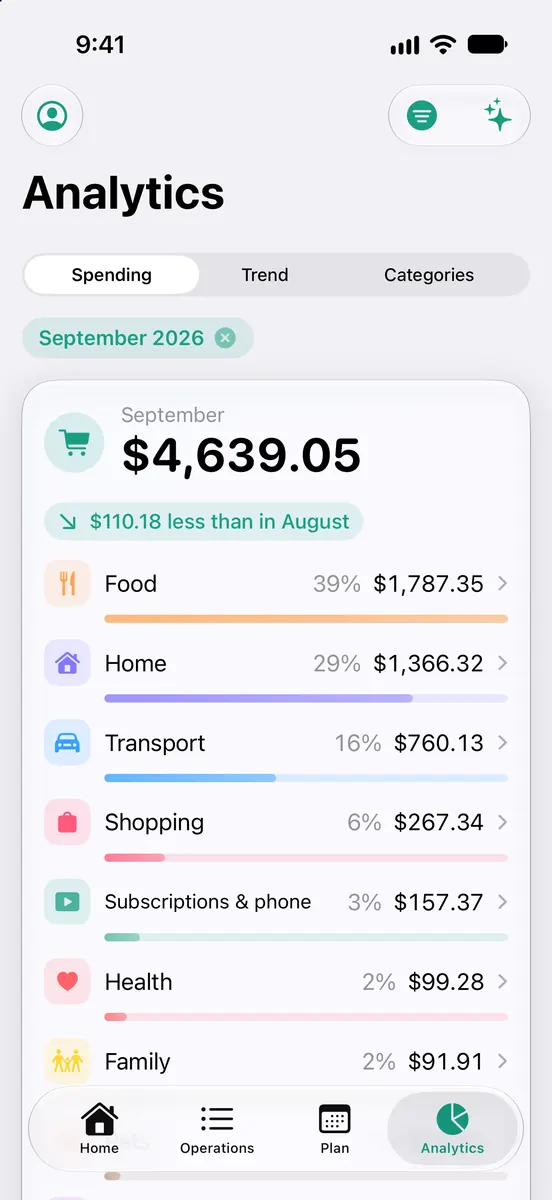
See where your money goes
Spending by category, month by month — and how it compares with the month before.
Private by design
Your money is your business. We built Afloat so we never need to see it.
No bank login
You type your balance; a quick check with your bank keeps it exact.
Your iCloud, not ours
Data lives on your iPhone — and with Premium, in your private iCloud. We can’t read it.
No account, no ads
Nothing to sign up for, no trackers, no selling data. Ever.
Free where it matters
The daily number, bills, widget and reminders are free.
*US prices. In some countries Premium is less — from $9.99/yr or $0.99/mo. Your exact local price is shown in the App Store before you subscribe. Subscriptions renew automatically unless cancelled at least 24 hours before the period ends. Family Sharing supported.
Questions
Why no bank connection?
Bank connections need your credentials and break often. Checking your balance in Afloat takes a few seconds, and between checks you log what you spend.
What if I overspend?
Nothing dramatic. The extra is spread over the days left in the month. If money gets short, Afloat shows what to move, skip or take from savings.
Where is my data?
On your iPhone — and with Premium, in your private iCloud. The optional AI features send only what they need and store nothing.
Currencies and languages?
All common currencies, including yen and won. The app speaks 38 languages, from English and Ukrainian to Arabic, Hindi and Japanese.
How do I cancel Premium?
iPhone Settings → your name → Subscriptions → Afloat. The free features keep working.
Make it through the month — calmly.
One number for today. Every bill already covered.
Download on theApp Store